AI appointment booking by phone: the patterns that work in 2026
Three flows do most of the work in voice-AI appointment booking — inbound capture, outbound confirmation, no-show recovery. Here's how each one is built, what to wire it into, and the trade-offs nobody mentions until you ship.
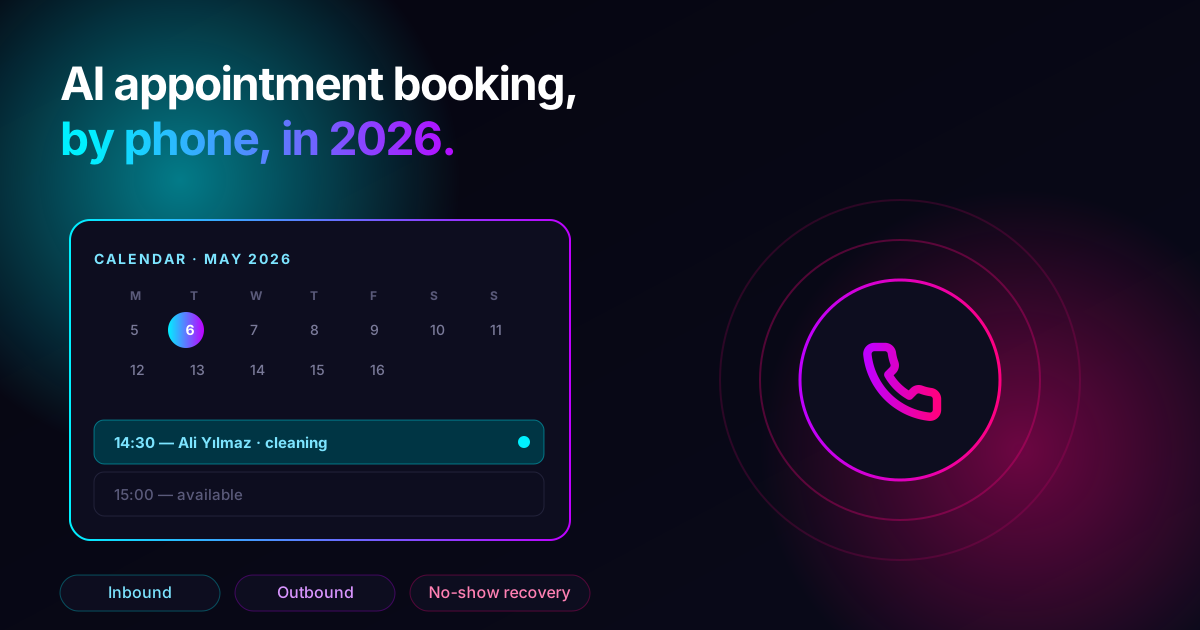
If you survey what businesses actually want from voice AI in 2026, the answer isn't a moonshot. It's: "answer the phone and book the appointment." Three patterns cover most of that work — and the surprising thing is how few businesses have all three running, even though the building blocks have been shippable for a year.
This post is the practical version: the three flows, what each one is for, how they connect to your calendar, and the trade-offs we keep watching people relearn the hard way.
If you'd rather see one of these built end-to-end instead of reading about the patterns, the 10-minute restaurant agent walkthrough is the closest production version. The same wizard works for clinics, salons, and home services — only the prompt changes.
The three flows
Every appointment-booking deployment we've shipped uses some combination of these three. They are independent — you can run any one without the others — but the interesting compounding happens when all three are live.
1. Inbound capture
The phone rings. Your AI agent answers, asks what the caller wants, looks up your availability, offers two or three time slots, takes the booking, and sends a confirmation. The whole interaction is usually under two minutes.
This is the single highest-leverage flow because it captures bookings that would otherwise hit voicemail. The standard industry estimate is that around half of after-hours calls to small businesses go unanswered; whatever the exact number for your business, the calls you're missing today are the calls this flow catches.
2. Outbound confirmation
The day before each appointment, your AI agent dials the customer, confirms they're still coming, and offers to reschedule if not. This is the boring flow that nobody is excited to build — and the one with the most measurable ROI, because it directly attacks no-shows.
The pattern is short: "Hi, this is the assistant at [business] — confirming your appointment tomorrow at [time]. Does that still work for you?" (Pause for answer.) If yes, end the call. If no, offer to reschedule.
3. No-show recovery
The appointment was missed. Within minutes (not days), your AI agent calls to ask whether they want to rebook. Speed matters here because the customer's intent to do business with you is measurably higher right after the missed slot than two days later when guilt has set in.
This is the flow most businesses skip because manually it's a chore. With an AI agent it's a triggered campaign — the missed appointment becomes a row in a queue, the queue becomes a call, the call becomes a rebooking. Nobody on your team has to remember.
What each one needs from your calendar
The pattern is the same for all three: a small number of API calls, in a specific order, with the agent narrating between them.
| Flow | Read availability | Write booking | Modify booking |
|---|---|---|---|
| Inbound capture | yes | yes | no |
| Outbound confirmation | no | no | maybe (reschedule path) |
| No-show recovery | yes | yes | no |
The good news is that these are normal calendar operations. Google Calendar, Microsoft Calendar, Cal.com, Calendly, and the major industry-specific schedulers (the ones in dental software, salon software, clinic software) all expose the necessary endpoints.
The agent calls these during the conversation. While the API call is in flight — which is usually under a second — the agent says something neutral ("let me check that for you") so the silence doesn't read as a hang. This is the trick that makes the call feel natural even though it's secretly talking to your booking system between sentences.
The architecture, end to end
You don't need much.
- A voice agent. The thing that takes the call. Configured with a prompt that knows the business, the available services, and what to do if it doesn't know.
- A calendar API. Whatever your business already uses. The agent reads from it during inbound flows, writes to it after a confirmed booking.
- A trigger source. For outbound and no-show flows, something has to queue calls. Usually that's a row appearing in a database — your booking system marks an appointment as "missed" and a queue picks it up.
- A campaign runner. The thing that walks the queue and dials each number with the right context. On Call2Me this is a campaign; on most platforms there's a similar primitive.
That's the whole stack. There's no orchestration framework, no fine-tuned model, no custom STT pipeline — just a voice agent that knows how to read your calendar and a queue that knows when to call.
What goes wrong (and what to do about it)
A short list of the surprises we've seen in production deployments:
Callers say "tomorrow" and expect the agent to know what day that is. The agent doesn't, by default. Pass today's date into the system prompt at call start so the agent can resolve relative dates. Without this, "tomorrow" becomes a literal string and the booking goes nowhere.
Time zones quietly destroy bookings. If your business and your customer are in different time zones, the calendar API stores in one but the customer spoke in another. Solve this once, in the booking write step, by always storing in the business's local time zone and converting on the read.
The agent invents services that don't exist. If the prompt says "you can book a haircut, color, or styling," and a caller asks for highlights, a poorly prompted agent will helpfully say "yes, what time?" — and now you have a booking for a service nobody can do. Use a knowledge base or an explicit service list, and prompt the agent to say "I don't think we offer that, but let me transfer you" when it doesn't recognize the request.
No-show recovery feels too aggressive at first. It isn't, but the first few times you see it run you'll wonder if you should pull back. Don't. The data on rebooking-rate-by-elapsed-time is unambiguous: speed wins. If a customer doesn't want the call, the agent picks that up in the first five seconds and ends politely.
Where to start if you're starting
Start with outbound confirmation. It is the easiest of the three to ship, the lowest-risk if anything goes wrong (the worst case is a courteous reminder call), and it gives you immediate, measurable no-show reduction that builds the case for the other two flows internally.
A working outbound confirmation campaign is usually live within an afternoon: voice agent + a CSV of tomorrow's appointments + a trigger that runs at 4pm. From there, inbound capture is the next add — and once both are running, no-show recovery falls out almost for free because you already have the calendar integration.
Spin up a free agent → — your first $10 of usage covers about 100 minutes of calls, which is enough to run a full day of confirmation calls and see whether the no-show numbers move. The wizard ships with a confirmation-call template you can adapt in five minutes.
Frequently asked
Q.Does the AI agent need access to my calendar?
For inbound booking, yes — it needs to read availability before it can offer a slot. The simplest path is a webhook the agent calls during the conversation; the agent waits a beat, gets back a list of available times, and reads them out. For outbound confirmation and no-show recovery, calendar read-only access is enough.
Q.What happens if two callers ask for the same slot at the same time?
Whichever booking write hits the calendar API first wins; the second one gets an error and the agent says 'that slot just got taken — I have one at 3:30 instead.' This is the same race condition any human receptionist has, just faster. Most calendar APIs handle the locking for you.
Q.Can it handle reschedules and cancellations?
Yes — these are the easiest of the three flows because no calendar lookup is needed for the cancellation, just for finding the existing booking. Reschedules combine cancel-then-book and follow the same availability-lookup pattern as inbound booking.
Q.Will it sound like a robot?
Modern TTS engines on the major voice AI platforms are good enough that callers regularly ask if they're speaking to a person. The bigger threat to sounding human is the prompt, not the voice — see our companion post on voice agent prompts for the patterns that fix the 'robotic' feel.
Keep reading
All posts Healthcare
Voice AI for dental practices: pain triage, recall calls, and the no-show problem
Dental practices have a different phone problem than general clinics — pain triage decisions, slot-type matching for cleanings vs procedures, insurance pre-checks, and a no-show rate that quietly eats 8-15% of revenue. How voice AI handles each one.
May 13, 20267 min E-commerce
Voice AI for e-commerce: order status, returns, and abandoned-cart recovery on the phone
How online retailers use voice AI to handle the four calls that swamp support — where is my order, can I return this, did my refund go through, and the abandoned-cart save call that pays for the entire system.
May 13, 20267 min Real Estate
Voice AI for real estate: lead qualification, showing booking, and after-hours capture
How real estate brokerages and individual agents use voice AI to qualify inbound leads in 30 seconds, book property showings into the calendar, and stop losing buyers who call after 6pm — with the patterns that actually convert and the ones that just frustrate.
May 13, 20266 min