Ship a chat widget on your site in one line of JavaScript
Drop one script tag, get a live AI chat agent on every page — same agent that answers your phone, same knowledge base, same brand. The full setup, the customization options, and the pricing math.
Voice agents pick up phone calls. They're great at it. But not every customer wants to call. Some want to type. Some are on a desktop and would rather chat in a corner of the page than dial a number.
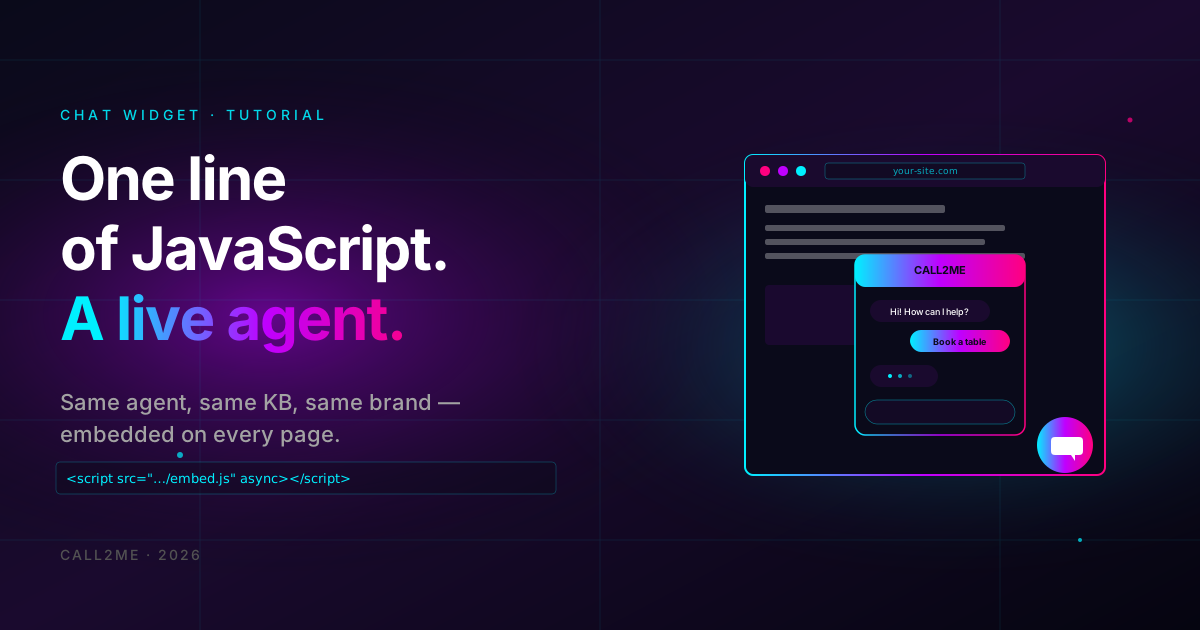
The chat widget is the same agent, talking through a browser instead of a phone. Same brain, same knowledge base, same brand voice (well — same personality; no audio voice obviously). Embedded in one line of JavaScript.
This post is the setup, the customization, and the trade-offs.
- $0.01 per message (each user message + agent reply pair counts as 1).
- One
<script>tag, no SDK install, works on any site. - Reuses your existing voice agent's prompt + knowledge base.
- Customizable colors, position, greeting, branding.
The 30-second version
In your dashboard, go to Widgets → New Widget. Pick which agent it should connect to (the same one that handles your phone calls is fine — that's actually the point). Customize the colors and the welcome greeting. Save.
You get a snippet that looks like this:
<script src="https://api.call2me.app/v1/widgets/widget_xxxxx/embed.js" async></script>
Paste it before </body> on your site. Done. A floating chat bubble appears
on every page; visitors click it, type a question, get a real-time answer
from the same agent that answers your phone.
What "one agent across two channels" actually means
This is the part that's worth slowing down on.
Most chat widgets you've seen on the internet are bolted-on chatbots. Different team built them, different prompt, different knowledge base, different escalation path. Customers get inconsistent answers depending on which channel they use.
The Call2Me widget is the same agent. Practically:
- Same system prompt. The personality, tone, escalation rules — identical.
- Same knowledge base. If you uploaded a menu PDF for the voice agent, the widget answers menu questions out of the same source.
- Same post-call data extraction. Wait, "post-chat" — the LLM extracts the same structured fields from a chat conversation as from a phone call. Bookings, leads, complaints — captured uniformly.
- Same handoff webhook. Whether the conversation happened by voice or text, the same downstream system gets the data.
The asymmetries are minimal:
- The widget can show clickable buttons, links, formatted text. Voice can't.
- Voice can hear emotion in the caller's tone. Text can't.
- Voice has to be ~1 sentence per turn (long monologues are bad UX on the phone). Chat can be longer, more thorough.
You pick one prompt that works decently for both, with a tiny conditional: "If the user is on a voice call, keep replies concise. If on chat, you can be slightly more detailed and use bullet points."
Customizing the widget
Widget settings in the dashboard cover the obvious stuff:
- Position — bottom-right (default), bottom-left, or top.
- Primary color — hex value, used for the bubble and the user message background. Match your brand.
- Welcome message — the first thing the widget shows when opened. "Hi! How can I help?" works, but a specific opener gets engagement: "Looking for a reservation? I can help you book in under a minute."
- Trigger — open automatically after N seconds, on scroll past Y%, or only when clicked.
- Hide on mobile — useful if your phone CTA is more important than the widget on small screens.
- Office hours behavior — show a "we'll get back to you" form during hours the agent is offline, or run the agent 24/7. Most clinics and restaurants want 24/7.
For deeper customization (custom CSS, custom positioning, multiple widgets on the same page for different agents), there's a config object:
<script>
  window.call2meConfig = {
    primaryColor: '#bf00ff',
    position: 'bottom-right',
    greeting: 'Need a reservation? I\'ll help you book.',
    autoOpen: 5000,  // ms before auto-open
  };
</script>
<script src="https://api.call2me.app/v1/widgets/widget_xxxxx/embed.js" async></script>
When the widget makes a difference
Three scenarios where ROI is obvious:
1. High-traffic landing pages
You're spending money to get people to the page. They land, they have a specific question, they don't see the answer in the FAQ. Without a widget: they leave. With a widget: they ask, they get an answer, they convert.
Conservative bump: 5-15% of bounces become qualified leads. At any kind of ad spend, that pays for the widget many times over.
2. Pricing or features pages
These are where intent is highest and confusion is highest simultaneously. "Does the $99 plan include the X feature?" — without help, they bounce or file a generic contact form. With the widget, the agent answers in 5 seconds and they sign up.
3. International audiences
Voice is geo-bounded by phone numbers and TTS quality per language. Widget is borderless. A French customer hitting your English site can chat in French (the widget agent uses the same multilingual stack as the voice agent — see our multilingual guide) and get a fluent answer.
The cost math
At $0.01 per message:
- 1,000 conversations × 8 messages each (4 user + 4 agent) = 8,000 messages = $80.
- Compare to: a live chat agent doing the same volume = ~$500-1,500 in salary for the same coverage hours.
For most sites, the widget cost is in the rounding error of the marketing budget. The thing to watch is conversation length. If your visitors are having 30-message conversations, either your KB has gaps (they're asking the same thing different ways) or the widget is becoming a free customer-support channel rather than a conversion tool.
Where the widget shouldn't replace humans
Be honest about the boundaries:
- Account-specific issues. "My order is missing item X" — agent can acknowledge and escalate, but it can't actually look in your order database without a function call. If you don't wire that up, escalate fast.
- Refunds and credits. Don't let the widget unilaterally promise a refund. It can promise a human review. Big difference.
- Anything legally consequential. Lease terms, insurance claims, medical advice. The widget escalates; a human resolves.
The escalation path: webhook fires when the agent decides it can't help, your support team gets pinged in Slack/email/CRM, they pick up the conversation. The visitor doesn't have to repeat themselves — the transcript travels with the handoff.
Common mistakes
- Putting the widget on every page including checkout. Sometimes you
want a clean checkout. Use the show/hide URL pattern in widget config to
exclude
/checkout. - Auto-opening too early. 5 seconds after page load is the most aggressive you should go. Anything sooner and visitors close it without reading.
- Greeting that's too generic. "Hi! How can I help?" — okay. "Looking for a quote? I can give you one in 30 seconds." — much better.
- Not testing on mobile. Widgets cover keyboards and footers if not configured right. Test on a real phone.
- Forgetting the widget is your support channel now. Once it's live, monitor the conversation log. Patterns of unanswered questions are exactly what your KB should grow to cover.
Ready to embed?
Sign up, build a widget in 60 seconds, paste the script tag, watch conversations start.