From PDF to live phone call: how voice AI uses your knowledge base
What actually happens when a caller asks 'do you have gluten-free pasta' and the agent answers correctly — chunking, embeddings, retrieval, grounding, and the failure modes that break it. The pragmatic engineering view of RAG for voice.
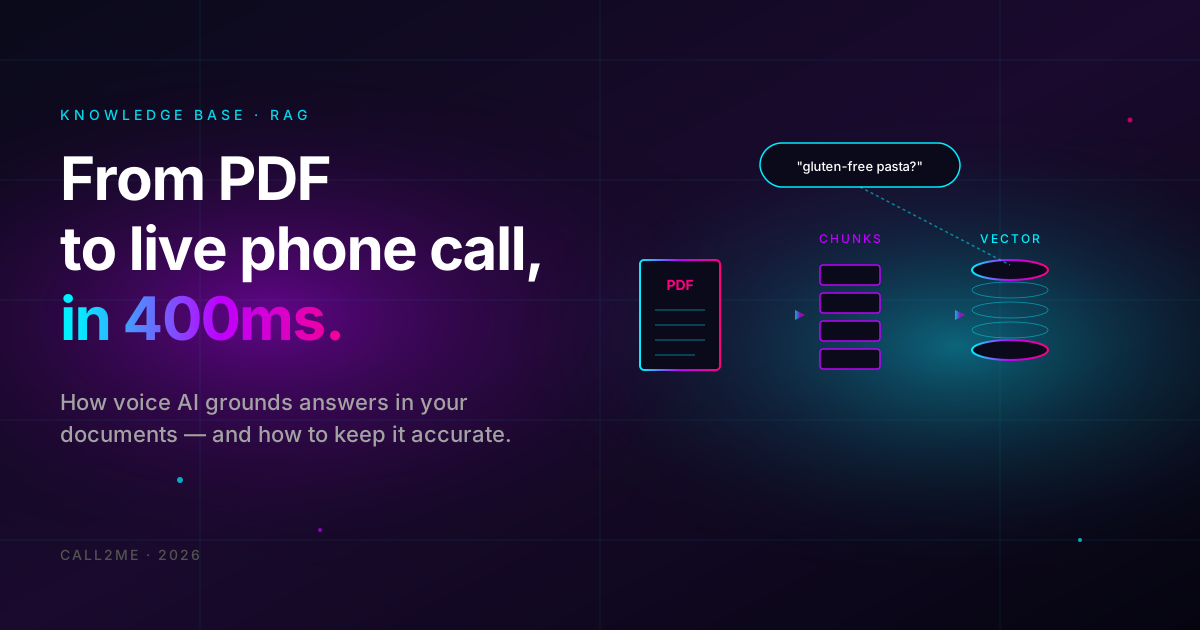
There's a specific moment in voice AI demos that always gets a reaction: caller asks something specific — "do you have gluten-free pasta?", "is the parking free?", "what time does the clinic close on Sunday?" — and the agent answers correctly, with a detail that's clearly not in any prompt.
That moment is retrieval-augmented generation (RAG) doing its job. It's the single feature that separates a believable agent from one that politely hallucinates its way through every call.
This post is the engineering view: what's actually happening, what breaks it, and how to set it up so it works on your first call.
- Upload PDF, DOCX, TXT, Markdown, or URL sources.
- Indexing finishes in ~30 seconds for a typical menu/FAQ.
- Per-agent or shared across agents.
- Included in voice base ($0.10/min) — no extra retrieval fee.
What "knowledge base" means in voice AI context
In a voice agent, the knowledge base is a searchable corpus of your specific content — your menu, your hours, your pricing, your FAQ — that the agent consults during a live call. The agent doesn't memorize it (that's training, which doesn't happen here). It looks things up at speech time.
The pieces:
- Documents — what you uploaded. PDFs, web pages, plain text.
- Chunks — the document split into ~500-word passages.
- Embeddings — each chunk turned into a vector (think: a numerical fingerprint of meaning).
- Vector store — pgvector in our case, holding all the embeddings indexed for fast similarity search.
- Retriever — at query time, embeds the question and finds the top-K most similar chunks.
- LLM — generates the answer using the retrieved chunks as context.
The trick is that these pieces fire inside a live phone call, between "caller finishes asking" and "agent starts speaking" — typically under 500ms total.
The actual flow, end to end
Caller: "Do you have gluten-free pasta?"
- STT transcribes "do you have gluten-free pasta" in ~150ms.
- The agent's runtime sees a question that may need facts. It triggers a retrieval call.
- Retriever embeds the query, queries pgvector for top-3 closest chunks. Comes back with the menu's pasta section, the gluten-free chunk, and a chunk about kitchen practices. Total: ~80ms.
- LLM receives the retrieved chunks as additional context, plus the conversation history, plus the agent's system prompt. Produces an answer: "Yes, we have a gluten-free pasta option — the pomodoro and the carbonara can both be made with gluten-free pasta for a small extra charge."
- TTS speaks it out in ~100ms.
Caller hears a believable, specific, accurate answer. Total latency: ~400ms.
The failure modes (in order of how often they bite)
1. The chunk doesn't exist
Caller asks about something that isn't in the document. Retrieval still returns the top-3 chunks (the closest ones, even if they're not actually relevant). LLM then either:
- Says "I don't have that information" (good — what we want).
- Hallucinates an answer based on training data (bad — what we don't want).
The fix is in the system prompt:
When answering questions about [your business], use ONLY the
information provided in the retrieved knowledge base passages. If the
passages don't contain the answer, say "I'll have to check on that
and get back to you" — never guess or make up details.
That single instruction prevents 90% of the bad answers. The other 10% require better retrieval (next failure mode).
2. The retriever picks the wrong chunks
Caller asks "are you wheelchair accessible?" — retriever returns the parking section (because both contain "accessible"). LLM answers based on parking, which is wrong.
This is a chunking problem. The fixes, in order of effort:
- Smaller chunks — 200 words instead of 500. Each chunk is more focused, retrieval is more precise.
- Better source documents — split your FAQ into a Q&A format, one question per chunk. The embedding for "are you accessible?" matches a literal Q&A entry far better than it matches a paragraph in a generic facilities section.
- More chunks retrieved — top-5 instead of top-3. LLM filters out the irrelevant ones. Costs a bit more LLM context but accuracy goes up.
3. The document was never indexed
You uploaded a PDF. The agent still says "I don't have that information." What went wrong:
- Scanned PDF with no text layer. The PDF is just images of pages. Our parser can't extract text. Fix: OCR the PDF first (any tool), then re-upload.
- PDF with weird encoding (some old Adobe outputs). Try saving as plain text and uploading the .txt instead.
- URL crawl returned a login page because the URL requires auth. Use a publicly accessible URL or upload the document directly.
You can spot all of these by looking at the indexed chunk count after upload — if it's 0 or way fewer than expected, the document didn't parse cleanly.
4. The information is fresh — and the index is stale
You changed your menu yesterday. Re-uploaded the PDF. Agent still talks about the old menu items. What happened: you re-uploaded but the old version is still in the index alongside the new one.
Always delete the old source before adding the new one, or replace rather than add. The retriever has no concept of "freshness"; it just returns the closest chunks, and old ones might be closer to the query than new ones.
5. The chunks are right but the LLM hallucinates anyway
Rarer, but it happens with weaker models. Symptoms: the answer is plausible but contains a detail that's not in any chunk. Fixes:
- Switch the agent's LLM model to one with stronger grounding behavior.
openai/gpt-4ooranthropic/claude-3.5-sonnetare the most reliable. Avoid the smaller fast models (3.5-turbo, haiku) for KB-heavy use cases. - Tighten the system prompt's grounding instruction.
- Reduce the conversation history window — long histories sometimes pull the LLM away from the retrieved chunks.
Most "the AI hallucinates" complaints in voice agents are actually retrieval failures dressed up as model failures. Fix the chunks, the answers fix themselves.
Practical setup checklist
For a typical small business (restaurant, clinic, retail), the KB structure that wins:
- One source-of-truth document per topic (menu, hours, FAQ, policies).
- Q&A format for FAQs rather than prose paragraphs.
- Chunks < 300 words for fact-heavy content (prices, addresses, hours).
- Chunks ~500 words for narrative content (history, philosophy, brand).
- No duplicates — every fact in exactly one place.
For larger operations (multi-location, multi-product):
- One KB per agent persona, not one giant shared KB. Cuts noise.
- Per-document tags so you can scope retrieval ("only search the menu, not the wine list").
- Refresh the index on a schedule (weekly for menus, monthly for policies).
The cost question
Knowledge base lookups are included in the voice base ($0.10/min). There's no per-query fee, no per-token retrieval fee. The only thing that costs more is if you switch the agent to a higher-tier LLM (GPT-4o costs more than GPT-4o-mini per call).
Storage of the documents themselves is also included up to typical small-business volumes. If you're indexing terabytes of legal contracts, talk to us.
When NOT to use a knowledge base
Counter-intuitive but real: don't put frequently-changing data in the KB.
- Stock levels, current orders, today's specials — these belong in a webhook or a function call, not the KB. The KB is for stable reference material.
- Customer-specific data (their order history, their account balance) — also belongs in a function call, not the KB. Never index personal data and search across customers.
- Real-time pricing that changes daily — call your pricing API at speech time instead.
The KB is for the things that are true for everyone all the time. Function calls are for the things that are different per caller or change frequently.
Test your KB before going live
The single best 10-minute investment:
- Make a list of the 20 questions you expect callers to ask most often.
- Call the agent. Ask each one.
- Count how many got correct, specific answers vs. how many got vague "I'll have to check" answers vs. how many were plain wrong.
If "wrong" is anything but 0, fix the KB before the number goes public. If "vague" is more than 3-4, your KB has gaps to fill.
Ready to ground your agent?
Sign up, upload a PDF, watch your agent stop hallucinating.