Google Meet translation,
spoken in your language.
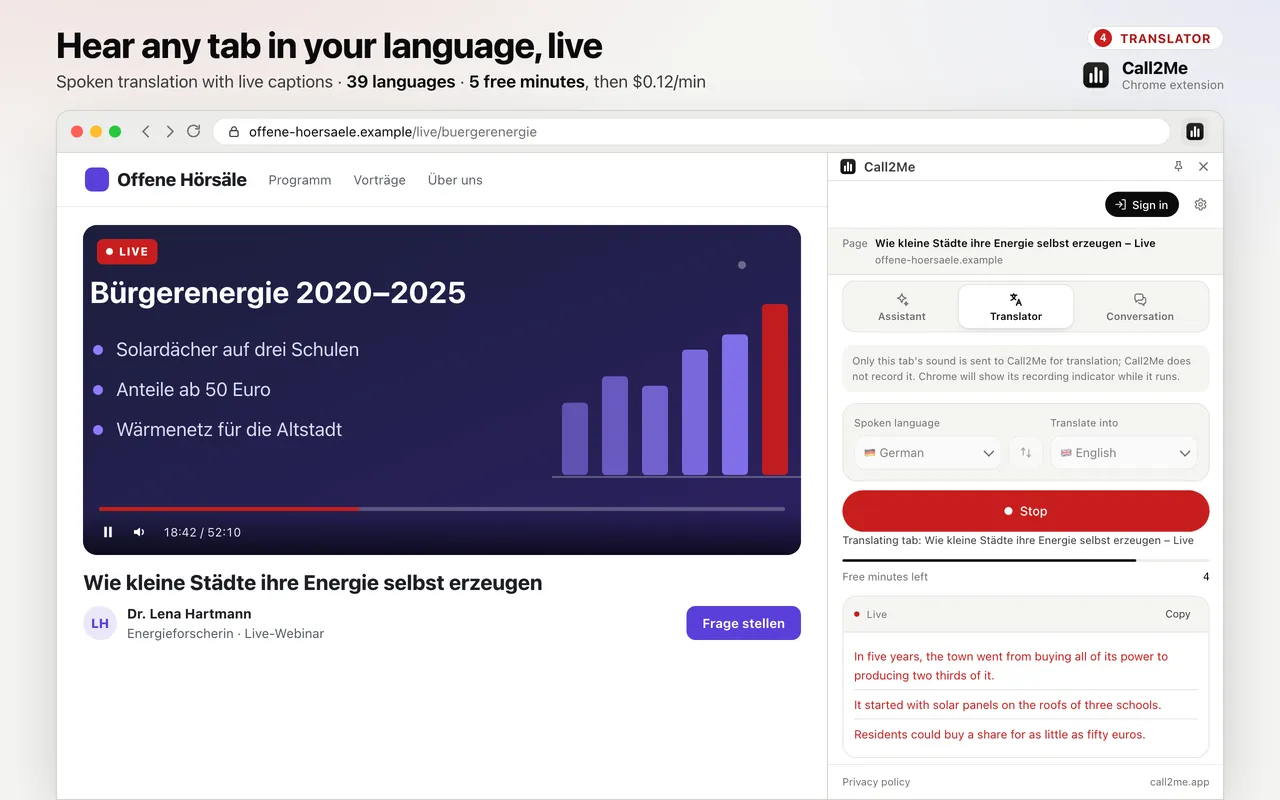
In the Meet tab, choose the language being spoken and the one you want to hear, and press Start. Everyone else is spoken to you in your language as they talk, with live subtitles.
Hear it in your language
The translation is spoken over the call audio, which is turned down while it speaks.
Live subtitles
The same translation runs as text in the side panel, so you can follow along or copy it.
Any meeting you join
It runs on your side only. The organiser does not need to enable anything.
Three steps, out loud
Join the Meet call
In Chrome on your computer, as usual.
Pick the languages
Press Alt+J, open Translator, choose the spoken language and yours.
Press Start
Listen in your language, with subtitles, for as long as the call runs.
What it does, honestly
- Translates the sound of the Meet tab — one tab you choose, nothing else.
- One-way: you hear the others in your language; they hear you as usual.
- Use headphones, so the translated voice is not picked up by your microphone.
- Keeps going while you switch to other tabs.
- Need both sides interpreted? Use an interpreted conversation room.
- The same works for any tab: live tab translation, and for Zoom in the browser.
What it sends, and what it keeps
Only the sound of the tab you chose is sent, and only to translate it. Call2Me does not record it.
The translator never reads the page itself.
Chrome shows its own recording indicator while a tab is being translated.
Read the extension privacy policy →Questions
How does it translate a Google Meet call?
Google Meet runs in a Chrome tab. The extension translates the sound of that tab live and speaks it to you in your language, with subtitles in the side panel.
Will the others hear my words translated?
No. This is one-way: you hear the call in your language. If you need both sides interpreted, open an interpreted conversation room instead — the other person joins from a link and an AI interprets both ways.
Does the meeting organiser need a special plan?
No. It works on your side only, on the sound your tab receives. Nothing is added to the meeting.
Does it work in the Meet app on my phone?
No. It is a Chrome extension for the computer, so the call has to be open in Chrome on your computer.
What does it cost?
Every browser gets 5 minutes to try it, one time; signing in with a Call2Me account raises that to 20 minutes. After that, translation is billed per minute from a prepaid balance.
Is the call recorded?
No. Only the sound of the tab you chose is sent to Call2Me and its providers to translate it; Call2Me does not record it. Chrome shows its own recording indicator while a tab is being translated.
Also in the same extension
Voice browser assistant
Ask the page out loud, summarise articles and YouTube videos. On Pro it clicks, types and fills in forms for you.
Listings to CSV
Collect listings, products or a table across up to 10 pages into a table you download as CSV. Pro.
Live tab translation
Hear any tab dubbed into your language in real time, with live subtitles. 39 languages.
Interpreted conversation
Send a link; they join from their browser and an AI interprets both ways. $0.25/min.
Phone calls from the browser
Call any number from your own Call2Me number. No AI on the line. From $0.14/min.
Follow the next call in your language
Install the extension, join the Meet call, press Alt+J and start the translator.